Weekend Working
"Testing Buddy".
A "Testing Buddy" is required for MEG sessions where a participant is present and data collection occurs outside of regular opening hours (7am to 7pm, Monday to Friday).
- Buddies need to be present for experiment set-up, and remain "on call" within the building for the entirety of the Acquiring session.
- A Buddy must hold at least "Building General User" status in the CHBH, or if they intend to help with experiments then they must be trained up as a "MEG General User" (Level 2), or be a "Full MEG Operator" (Level 3).
- A Buddy isn't necessary if just testing equipment/experimenatal software (stimuli/triggers etc).
No MEG Lab usage, of any kind, is permitted on Sundays!
Please be aware that if booking requests/technical support requests are made during the weekend or when MEG Support is on AL, a response may not be immediate.
In an Emergency, Security Contact Details
Location of Equipment/Consumables.
Make sure the location of any needed equipment, e.g. MEG-safe glasses, Loc-Line GoPro mount, is known before booking a Saturday slot. Items can "inadvertently" be moved/stored in a different location to normal, and with no one on site to ask this can lead to delays in preparation.
The consumables on the EEG trolley should be up-to-date, but if not ... Location of Consumables
Calpendo Booking System
Check Calpendo, to see if there is another Saturday Acqusition session booked subsequently.
There may be no need to "Finish MEG Session"/move gantry to liquefaction if another MEG Operator is booked in later in the day.
- If so, contact the MEG Operator concerned to confirm their future attendance. They might have cancelled last minute, in which case the MEG Session will need to be "Finished", and the gantry moved to 25.
Start/Stop MEG Session.
In normal, daily usage liquefaction should finish ~9:00am everyday. If a Saturday session is booked to acquire data, and the system is still liqufying upon arrival, due to...
- Being the first MEG Operator of the day.
- The previous MEG Operator has started liquefaction (Finish MEG Session)
- Liquefaction is occuring during the day (due to a previous night, or for an up-and-coming night, Acquisition session).
Start MEG Session
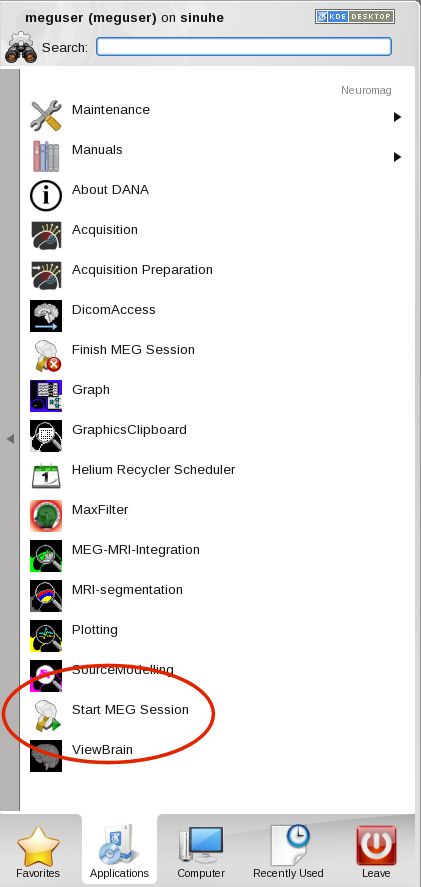
- Open the
Neuromagfolder in the DACQ Desktop'sApplicationsmenu to see the available options. - Select
Start MEG Session. Liquefaction will stop. - Move gantry to required usage position.
If being the final MEG Operator of the day, or there's a number of hours between the next MEG Operator arriving e.g. a night Acquisition, then ...
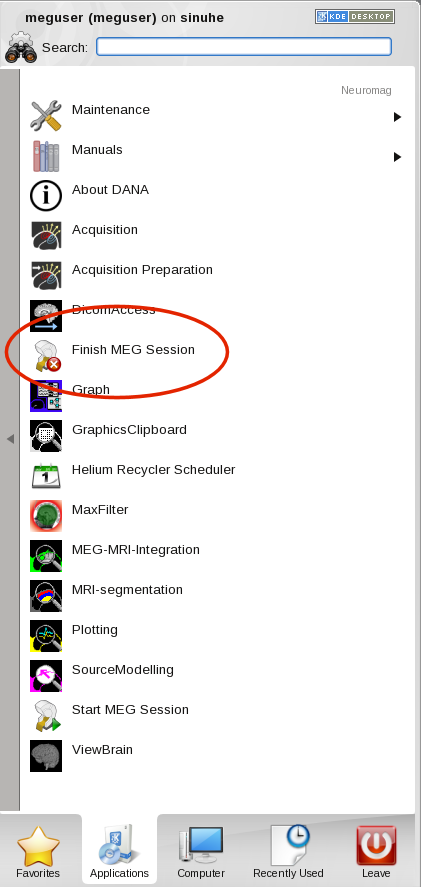
Finish MEG Session
- Move gantry to liquefaction position (25).
- Open the
Neuromagfolder in the DACQ Desktop'sApplicationsmenu to see the available options. - Select
Finish MEG Session. - Check the IHR Scheduler to see what time liquefaction is expected to start (it may start immediately).
- Ideally wait until liquefaction starts before leaving (but in some instances this won't be possible due to a later liquefaction start time so just...
- Tidy Up as normal, lock MEG lab, return key to key safe, and then...
Enjoy the rest of the weekend!