Restart Acquisition Programs ("RAP")
- Stop/Close the Acquisition program (megacq).
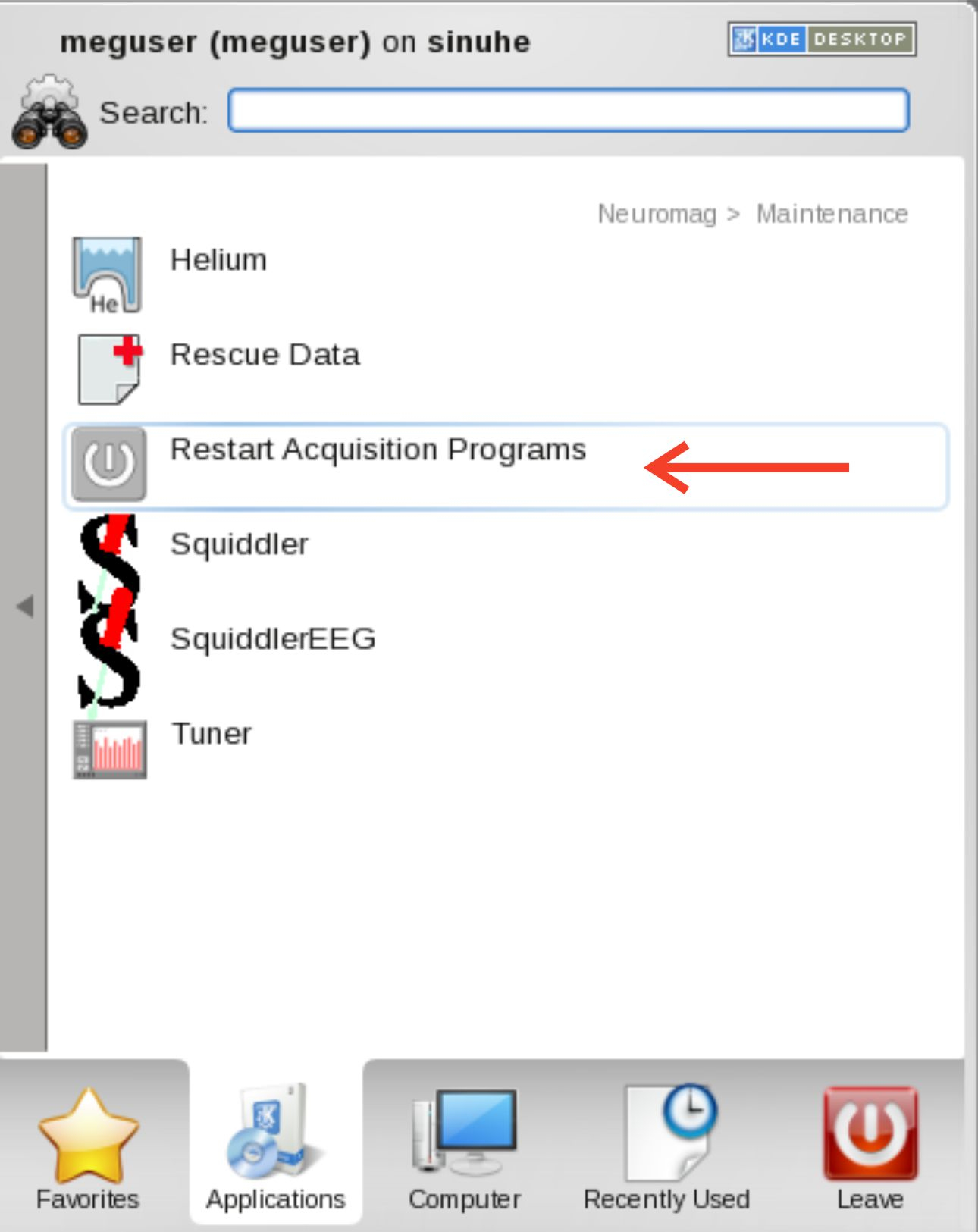
- Open the Maintenance folder under the Neuromag folder in the Desktop’s Applications menu to see the available actions.
- Select the Restart Acquisition Programs icon ("RAP").
- Confirm by answering "Y" to the question appearing in the Restart Acquisition Programs terminal window.
- Observe the messages in the window during the restarting.
- Should the restart operation fail, verify all physical power and data connections, as well as network connections, are working. Then ...
8. Wait until the message...Restart complete. Press <Enter> to close the window ...appears and press Enter on the keyboard.
9. If data was Acquired, and megacq ceased to work after Stop was pressed, data can rescued by double-clicking the Rescue Data icon in the Maintenance folder.
10. If some data is available to be saved, a dialog will appear requiring confirmation to proceed. Thereafter, a standard megacq saving dialog will appear. The rescued data will be
saved under the project directory called unknown if the real project name could not be retrieved. Move saved data out to the correct project folder name as necessary.
11. Restart megacq by selecting the Acquisition icon in the Neuromag folder.